A latch smart lock replaces your traditional deadbolt with a connected device that lets you unlock your door from anywhere using your smartphone, keypad, or biometric authentication. If you’re tired of fumbling for keys, managing spare copies for guests and contractors, or worrying whether you locked the door after leaving home, a smart lock offers real convenience with genuine security benefits. For homeowners and renters alike, these devices are becoming increasingly practical, especially for rental properties where tenant turnover demands easy access management without physical key exchanges. Let’s walk through what makes latch smart locks work, how they fit into your home, and whether one makes sense for your situation.
Table of Contents
ToggleKey Takeaways
- A latch smart lock replaces your traditional deadbolt with an electronic device that grants remote access via smartphone, keypad, or biometric authentication without requiring physical keys.
- Latch smart locks are particularly valuable for rental properties, allowing property managers to assign and revoke tenant access codes remotely, eliminating costly locksmith services after each turnover.
- Installation takes 20 to 40 minutes with basic hand tools, but verify your door thickness (1 3/8″ or 1 3/4″) and Wi-Fi connectivity before purchasing to ensure compatibility.
- Smart locks use military-grade AES-128 encryption and maintain audit logs of every unlock event, making them more secure than physical keys and enabling instant credential changes without a locksmith.
- Quality latch smart lock models run 6 to 12 months on batteries, provide low-battery warnings in advance, and often include emergency access methods like USB-C charging ports or mechanical key overrides.
- For homeowners and contractors, temporary access codes that expire after a set time eliminate the need to manage permanent spare keys while maintaining security and accountability.
What Is a Latch Smart Lock?
A latch smart lock is an electronic deadbolt replacement that communicates with your smartphone or a connected hub to grant or deny entry. Unlike traditional locks operated by a physical key, smart locks use encryption and wireless protocols, typically Wi-Fi, Bluetooth, or Z-Wave, to authenticate users and trigger the latch mechanism. The lock itself still has a physical bolt that extends and retracts, just like a standard deadbolt, but the action is controlled electronically rather than by turning a key.
Most smart locks are retrofit devices, meaning they mount on the interior side of your existing door frame without requiring structural changes to the door itself. You remove the interior plate of your current deadbolt, unscrew the bolt mechanism, and install the smart lock’s interior assembly in its place. The exterior face typically remains similar to a standard lock or appears as a sleek electronic keypad or sensor panel. This non-invasive design makes smart locks particularly appealing for renters and homeowners who don’t want permanent modifications.
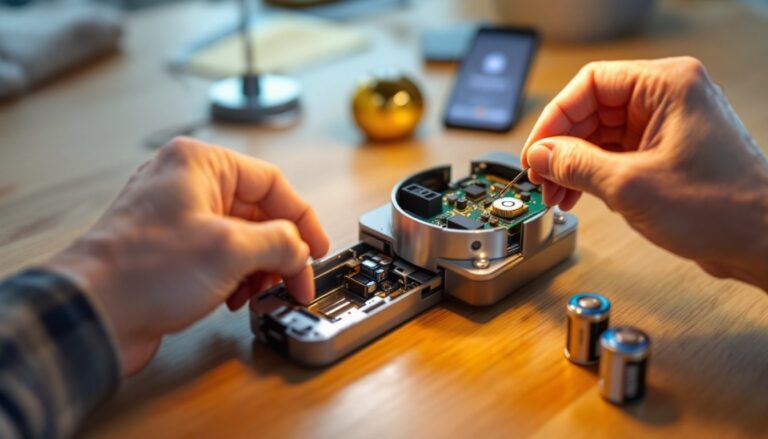
The latch mechanism itself operates on batteries, usually AA or AAA alkaline cells, so the lock functions independently of your home’s electrical system. Most quality models run 6 to 12 months on a set of batteries before needing replacement, and they’ll typically alert you via app when power is running low.
Key Features and Benefits of Latch Smart Locks
Keyless Entry and Mobile Control
The most immediate benefit is that you no longer need physical keys. You unlock the door by entering a code on an exterior keypad, holding your phone near a reader, or tapping a saved credential in the app. This eliminates the hassle of searching your pockets, keys jangling in the lock, or the anxiety of being locked out during a run to the mailbox.
Mobile control means you can lock or unlock your door from anywhere, your office, your car, or while traveling. If a family member texts that they’re locked out, you can grant them access instantly instead of leaving work to bring them a key. For contractors or delivery services, you can create temporary codes that expire after a set time, letting them access your home without giving them a permanent key that you’d later have to worry about or rekey. This level of granular access control is transformative for managing household traffic and protecting your security posture.
Tenant-Friendly Design and Rental Property Support
Latch specifically designed their smart locks with rental properties in mind. Property managers can assign and revoke tenant access codes remotely, no need to meet in person or pay a locksmith to rekey the lock after each turnover. When a tenant moves out, the code simply stops working. This is dramatically more efficient and cost-effective than traditional locks, especially for buildings with high turnover or multiple units.
For renters living in apartments or leased homes, modern smart locks like those with tenant-access features don’t require permanent installation of a new lock. Some models work as temporary overlays or can be removed when you move without leaving damage, a major advantage if your lease doesn’t permit alterations. Even if your landlord hasn’t upgraded to a smart lock, you can discuss the benefits: reduced administrative overhead, faster emergency access for maintenance, and lower physical key management costs. Tenants appreciate not having to worry about previous occupants having spare keys floating around.
Installation and Compatibility Considerations
Most latch smart locks install in 20 to 40 minutes if you’re comfortable with basic hand tools. You’ll need a Phillips-head screwdriver and possibly a small hex key, that’s typically it. Remove the interior plate of your existing deadbolt, unscrew the bolt shaft, and slide out the old mechanism. Then reverse the process with the smart lock’s interior unit, ensuring the latch aligns properly with the strike plate on the door frame.
Before purchasing, check your door’s thickness. Standard residential doors are 1 3/8 inches or 1 3/4 inches thick. Smart locks come with adjustment kits to accommodate both, but verify your model supports your door thickness. Metal doors and doors with unusual reinforcement may have compatibility issues, check the manufacturer’s specifications first. If you have a deadbolt with a thumbturn on the interior (the common U.S. standard), installation is straightforward. Keyed-on-both-sides locks or non-standard bolts may not work with aftermarket smart locks.
Wireless connectivity varies by model. Some operate over Bluetooth only, requiring your phone to be within range (typically 30 feet) to unlock remotely. Others use Wi-Fi for true remote access, but this means your home network must be stable and the lock must be placed near a router or Wi-Fi extender. Hub-based systems, which require a separate bridge device connected to your network, are more reliable in some homes with poor signal, though they add cost and setup complexity. Consider your home’s layout and existing Wi-Fi strength before choosing a model.
Alignment is critical during installation. If the bolt doesn’t fully retract into the strike plate, the door may bind or the lock may appear jammed. Take 5 minutes to verify the bolt travels smoothly before you secure everything. Many DIYers get this wrong and spend hours troubleshooting a simple misalignment, don’t skip this step.
Security Features and Peace of Mind
Smart locks encrypt communication between the lock, your app, and any connected hub, preventing attackers from intercepting commands. High-quality models use AES-128 encryption or better, a military-grade standard. This is far more secure than a physical key, which can be photographed, duplicated, or stolen. If someone steals your spare key, you face a re-keying cost. If someone gains access to your lock’s digital credential, you can change the access code instantly from your phone, no locksmith needed.
Most smart locks maintain an audit log of every unlock event, who unlocked it, when, and sometimes even from where. This accountability is invaluable for troubleshooting suspicious access and tracking who entered your home in case of theft or damage. Many models also send push notifications when the door is opened, so you know immediately if someone enters when you’re away.
Physical bypass is still a concern. A skilled intruder can sometimes manipulate the mechanical latch or damage the door frame to force entry, bypassing the lock entirely, smart or not. But, a robust smart lock makes opportunistic theft less likely because it eliminates the quick, quiet key-in-the-lock entry that burglars exploit. Combined with solid-core or metal doors, reinforced strike plates, and frame reinforcement to meet IRC (International Residential Code) standards, smart locks significantly improve your overall security.
Battery failure is a common worry. Quality models provide a low-battery warning weeks in advance, and most can still be unlocked mechanically using a physical key or emergency access method if batteries die. Some units include a USB-C emergency charging port on the exterior, letting you power the lock temporarily if needed. Always keep backup access methods, a spare physical key with a trusted neighbor, a keypad code memorized, or knowledge of the emergency override, in case digital systems fail.
Early reviews from independent testers like those at CNET’s smart lock roundup and Tom’s Guide’s smart lock comparisons consistently highlight durability and encryption strength as key differentiators. Real-world testing shows that well-engineered models hold up to weather, repeated use, and attempted tampering far better than budget alternatives. When evaluating options, look for models with published security certifications and transparent documentation of encryption methods rather than vague marketing language.
Conclusion
A latch smart lock is a practical upgrade that simplifies daily access while improving your ability to manage who enters your home and when. For homeowners dealing with frequent guests, contractors, and service visits, the convenience and control are substantial. For property managers and landlords, the administrative savings and tenant satisfaction gains justify the investment quickly. Installation is straightforward for anyone comfortable with basic tools, and the security benefits, when properly implemented, exceed those of a standard mechanical lock. The key is choosing a model that matches your home’s connectivity, door configuration, and use case, then installing it carefully so the mechanism operates smoothly. Start by checking your door thickness, assessing your Wi-Fi signal, and reading detailed reviews before committing to a purchase.