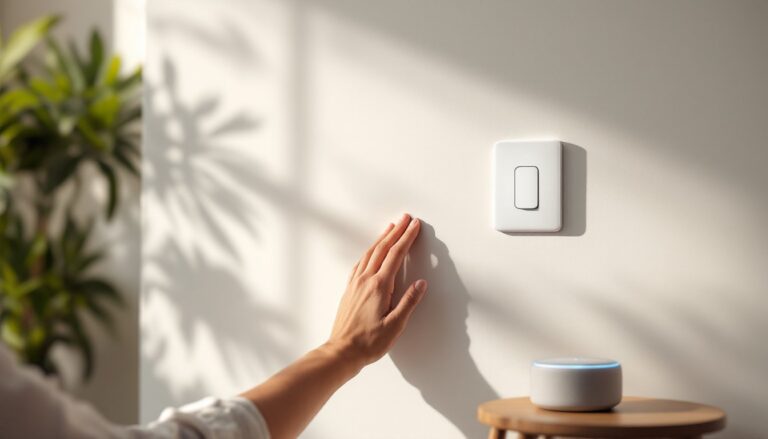
Smart light switches are reshaping how homeowners control their lighting, and Alexa compatibility makes the upgrade even more practical. Instead of flipping wall switches or hunting for a remote, you can now command your lights with your voice, schedule them to turn on at sunset, or integrate them into broader home automation routines. For DIY enthusiasts willing to tackle basic electrical work, installing an Alexa-compatible smart light switch is straightforward, and it costs far less than hiring an electrician for something this simple. This guide walks you through what smart switches do, which models actually deliver on their promises, and how to install and set them up without unnecessary headaches.
Table of Contents
ToggleKey Takeaways
- A smart light switch with Alexa compatibility eliminates the need to replace bulbs and enables voice control and home automation routines, making it a cost-effective upgrade for any home.
- Before purchasing an Alexa-compatible smart light switch, verify your electrical box has a neutral wire—most homes built after the 1980s do, but older homes may not.
- The top smart light switch models for Alexa integration are Lutron Caseta (most reliable but requires a hub), GE Enbright, and Kasa by TP-Link (direct WiFi options that are more affordable).
- Installation requires turning off power at the breaker, documenting existing wiring with a photo, and connecting the hot, neutral, and ground wires to the correct terminals on the new switch.
- Use your 2.4 GHz Wi-Fi network (not 5 GHz) when connecting your smart light switch to ensure reliable connectivity with older IoT hardware.
- Create simple Alexa routines like ‘Good Morning’ (gradual light fade-up) or ‘Leaving Home’ (all lights turn off) to maximize the value of your smart switch investment.
What Is A Smart Light Switch And Why Alexa Compatibility Matters
A smart light switch replaces your traditional wall switch with a connected device that communicates via Wi-Fi or a hub-based protocol like Zigbee or Z-Wave. Unlike smart bulbs, which require you to buy new bulbs and screw them in, a smart switch works with any standard bulb, incandescent, LED, CFL, halogen, making it a cost-effective upgrade for renters and homeowners alike.
Alexa compatibility means Amazon’s voice assistant can control your switches without middleman apps or complicated setup steps. You ask Alexa to dim the lights, turn off the bedroom, or create a “movie night” scene, and it happens. This seamless integration reduces friction and makes smart home features actually useful instead of a gimmick gathering dust.
Key Features That Define A Smart Light Switch
When evaluating smart switches, focus on these core attributes:
- Neutral wire requirement: Most switches need a neutral wire at the switch box to power the WiFi radio. Homes built after the 1980s typically have this: older homes may not. Before buying, confirm your boxes have neutral wires, or you’ll waste money on incompatible hardware.
- Dimming capability: Some switches only turn lights on and off: others dim. If your fixture supports dimming (LED, dimmable CFLs, or incandescent), a dimming switch unlocks scheduling flexibility, fade lights up at sunrise or down before bed.
- Hub requirement: Some models connect directly to WiFi: others require a hub (a small device that sits near your router). Hub-based systems are more reliable but add clutter and cost. Direct WiFi switches are simpler if your router signal reaches the switch box.
- Load capacity: Switches are rated for maximum wattage, typically 600W or 1200W for single-pole residential. Overloading causes failures. LED fixtures draw far less, so you’ll rarely hit these limits, but it’s worth checking if you’re controlling older halogen or incandescent setups.
- Physical feedback: A good switch still has a tactile button or paddle for manual override. You don’t want to be shouting at Alexa in the dark if WiFi drops.
Top Smart Light Switch Models That Work Seamlessly With Alexa
Several solid options exist for Alexa-compatible smart switches. The best smart light switches tested for 2025 include models from major manufacturers like Lutron Caseta, GE Enbright, and Kasa by TP-Link. Each brings different trade-offs.
Lutron Caseta is a favorite among DIYers who want reliability over cutting-edge features. It requires a Caseta Hub (a separate purchase), but the hub is rock-solid and rarely drops connection. Switches are pricier than WiFi-direct competitors, but they’re built tough and integrate smoothly with Alexa. Caseta supports dimming and works in large homes where WiFi signal is spotty.
GE Enbright offers direct WiFi connectivity, no hub needed. Setup is faster, and they’re cheaper upfront. The trade-off: WiFi-direct switches can be flaky in homes with thick walls or crowded networks. Enbright switches have a good reputation, but you may see occasional connectivity hiccups.
Kasa Smart Switches by TP-Link are another direct WiFi option with a solid track record and strong Alexa integration. They’re affordable and straightforward to set up. Like all WiFi-direct switches, reliability depends on your network strength.
Reviews comparing the top options consistently highlight these brands because they don’t require you to replace light bulbs and they play nicely with Alexa. For a first smart switch project, Lutron Caseta is the safest bet if budget allows: Kasa or GE Enbright work fine if you want to keep costs lower and your WiFi is strong.
How To Install And Set Up Your Alexa-Compatible Smart Switch
Step-By-Step Installation Process For DIY Homeowners
Before you start, verify the circuit is off at the breaker. Use a non-contact voltage tester to confirm no power is present at the switch box. This is non-negotiable. Smart switches are low-voltage, but the wires delivering power can still hurt you.
Gather these tools:
- Non-contact voltage tester
- Needle-nose pliers
- Wire strippers (strip 3/8″ to 1/2″ of insulation)
- Philips screwdriver
- Flashlight (breaker boxes are dark)
Step 1: Document the existing wiring. Before disconnecting anything, take a photo of how the old switch is wired. Identify the hot (usually black), neutral (white), and ground (bare copper or green). Most single-pole switches have one hot in, one hot out to the light, ground, and (critically) a neutral bundled in the box but not connected to the old switch.
Step 2: Remove the old switch. Unbend the terminal screws, pull the old switch out gently, and disconnect all wires. If wires are brittle or short, carefully strip another 3/8″ and extend them with a wire nut, the plastic connector that twists them together. Never reuse a damaged wire nut.
Step 3: Connect the smart switch. The new switch has labeled terminals: Load (to the light fixture), Line (from the breaker), Neutral, and Ground. Connect each according to the manufacturer’s diagram, usually:
- Attach the hot wire from the breaker (black) to the Line terminal (red screw).
- Attach the hot wire to the light (black) to the Load terminal (black screw).
- Twist the neutral wire bundle together with the switch’s neutral wire using a wire nut.
- Connect ground wires (bare copper or green) together with the switch’s ground wire using a wire nut.
Step 4: Secure the switch in the box. Carefully fold the wired switch into the electrical box, double-check that no bare copper is touching the box sides, and screw the switch flush to the wall. Overtightening cracks the plastic, snug is enough.
Step 5: Screw on the cover plate and test manually. Before you set it up in Alexa, flip the physical switch to confirm the light comes on and off. If it doesn’t, turn off the breaker, recheck your wire connections, and verify you didn’t swap Line and Load.
Connecting Your Smart Switch To Alexa And Your Home Network
Download the switch manufacturer’s app (Caseta, Kasa, or GE) and create an account. Most apps walk you through a simple onboarding flow:
- Add the device to the app by scanning a QR code on the switch or its packaging.
- Connect to Wi-Fi (or the hub, if required). The switch will search for nearby networks and prompt you to enter your password. Use your 2.4 GHz network, not 5 GHz, older IoT hardware often can’t lock onto 5 GHz bands.
- Name the switch (e.g., “Living Room Lights”) and assign it to a room in the app. This organization matters for Alexa commands.
- Open the Alexa app on your phone, tap Devices, select Lights, and choose Add Device. Follow the prompts to discover your new switch. Alexa will find it automatically if it’s on the same network.
- Verify it shows up in your Alexa app under the correct room. Test a voice command: “Alexa, turn on the living room lights.”
If the switch doesn’t appear in Alexa, confirm all devices are on the same Wi-Fi network (not guest networks), restart your router, and try adding it again. Most hiccups stem from network mismatches, not the switch itself.
Voice Control Commands And Automation Ideas For Smart Lighting
Once your smart switch is live in Alexa, the real flexibility kicks in. Basic voice commands are obvious, “Alexa, turn on the kitchen lights”, but the power lies in routines and automations.
Voice commands you can use immediately:
- “Alexa, turn off the bedroom lights.”
- “Alexa, dim the living room to 50 percent.”
- “Alexa, set the hallway lights to 30 percent.” (if the switch supports dimming)
- “Alexa, turn on all lights.” (if you’ve set up a group)
Automations and routines are where smart switches justify their cost. In the Alexa app, create a routine:
- “Good Morning”: Lights fade on at 6:30 AM at 20% brightness, ramping to 100% by 6:45 AM. Pairs well with a coffee maker to start your day gently.
- “Movie Time”: Living room dims to 10%, other rooms turn off. One voice command replaces three manual switches.
- “Leaving Home”: All lights turn off when you leave (triggered by your phone location). No more worrying you left the bedroom light on.
- “Bedtime”: Hallway lights turn on at 15% if motion is detected after 10 PM, then turn off after 2 minutes. Safer and less jarring than a bright light at midnight.
For deeper automation, the best smart switches support scheduling and integration with other smart home devices. You can sync lights with temperature (turn on outdoor lights when it gets dark), tie them to door sensors (lights turn on when you unlock the front door), or create scenes that group multiple switches under one command.
Start simple, one routine per room, and expand as you get comfortable. Overly complex setups often break down when WiFi hiccups occur or you forget what a button does.