If you’re considering upgrading your home’s climate control, the T10 Pro smart thermostat deserves serious attention. Whether you’re looking to cut heating and cooling costs, gain remote control over your home’s temperature, or simply want a thermostat that learns your preferences, this device promises to deliver on several fronts. We’ll walk through what it does, how to install it, and whether the energy savings justify the upfront investment, so you can make an well-informed choice before wiring it into your HVAC system.
Table of Contents
ToggleKey Takeaways
- The T10 Pro smart thermostat learns your household’s occupancy patterns and temperature preferences over 3-4 weeks, automatically adjusting schedules to optimize energy efficiency and comfort without constant manual tweaking.
- Geofencing technology enables the T10 Pro to detect when you leave home and automatically shift to away mode, potentially saving significant energy costs if household members work 8-hour days or travel frequently.
- Installation requires a 24V AC common wire (C wire) from your HVAC system; older homes lacking this wire can either run new wiring or use a C wire adapter, with professional installation recommended if you’re uncertain about electrical connections.
- Real-world energy savings from the T10 Pro range from 5-15% on annual heating and cooling costs depending on climate and household schedule consistency, with potential payback within 18-24 months at typical retail prices of $249-$299.
- The T10 Pro mobile app provides remote temperature control and customizable notifications, while the on-device touchscreen remains fully functional even if WiFi drops, ensuring your thermostat continues operating independently during internet outages.
- This smart thermostat works with most single-stage and two-stage HVAC systems and features ±0.5°F sensor accuracy, though multi-zone homes require separate units for each zone and careful coordination with your HVAC contractor.
What Is the T10 Pro Smart Thermostat?
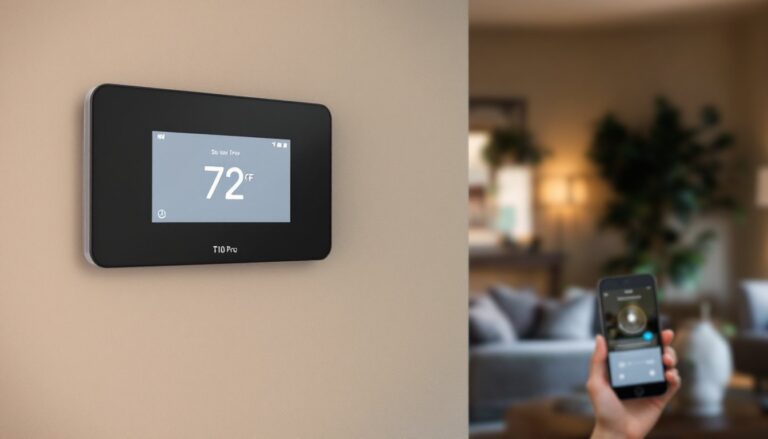
The T10 Pro is a WiFi-enabled, programmable thermostat designed to replace your existing wall-mounted unit. Unlike dumb thermostats that simply turn your furnace or air conditioner on and off based on a set temperature, the T10 Pro connects to your home network and offers remote scheduling, geofencing, and learning algorithms that adapt to your daily routine.
It works with most single-stage and two-stage HVAC systems, though certain heat pump configurations or multi-stage commercial systems may require verification before installation. The device displays a color touchscreen interface and communicates with your smartphone via a dedicated mobile app, allowing you to adjust temperature settings from anywhere, whether you’re at work, on vacation, or simply in another room.
The core value proposition centers on convenience and efficiency. Rather than manually adjusting your thermostat morning and evening, the T10 Pro can learn when you’re home and away, then automatically set temperatures that align with your comfort needs and energy goals. Homeowners using smart home product reviews to evaluate connected devices often highlight programmability and ease of use as deciding factors.
Key Features and Specifications
The T10 Pro comes equipped with a 3.5-inch color touchscreen with an intuitive menu system. Power requirements are straightforward: the unit draws power from your HVAC’s low-voltage transformer (typically 24V AC), though a USB power backup option is available for WiFi continuity during brief power losses.
Connectivity includes dual-band WiFi (2.4 GHz and 5 GHz), which helps integrate with most modern home networks. Compatibility covers heating-only furnaces, air conditioning systems, and standard heat pump setups: multistage or modulating systems may need compatibility verification.
Sensor accuracy is rated at ±0.5°F, meaning the internal temperature reading stays within half a degree of actual room conditions. This precision matters: a thermostat that overshoots or undershoots your target can waste energy or leave you uncomfortable.
When it comes to physical installation, the unit measures roughly 3.2 inches wide × 4.1 inches tall × 1 inch deep, fitting most standard wall plates. It operates across a 40–90°F ambient temperature range, so it won’t function reliably if mounted near heat sources or in uninsulated spaces.
Smart Learning and Automation Capabilities
The T10 Pro uses machine learning algorithms to identify your household’s occupancy patterns and temperature preferences. After 3–4 weeks of operation, the system begins suggesting schedule adjustments based on observed behavior. It then applies these settings automatically unless you override them.
Geofencing is a standout feature. Once you pair your smartphone location with the app, the thermostat can detect when the last person leaves home and shift to an away mode (typically 62°F in winter, 78°F in summer). When the first person approaches home, it begins pre-conditioning your space. Families with irregular schedules or frequent travelers often rely on this to avoid heating an empty house.
You can set up to 10 separate daily schedules and assign them to specific days or day groups (weekdays, weekends, etc.). The app also allows remote temperature adjustments without disrupting the underlying schedule, useful for unexpected guests or sudden weather changes. Real-world testing shows this adaptive approach delivers measurable comfort without constant manual tweaking.
Installation and Compatibility Guide
Before you open the breaker box or touch any wires, turn off power to your HVAC system at the main panel. Thermostats work with low-voltage wiring, but it’s good practice to disable the entire system to prevent accidental shorts or control board damage.
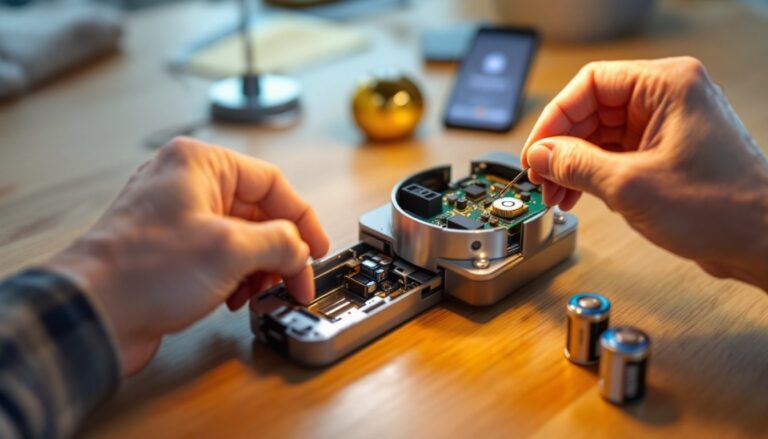
Compatibility is the first checkpoint. The T10 Pro requires a 24V AC common wire (C wire) from your furnace or air handler. Many older homes lack this wire because legacy thermostats didn’t need it. If your current system is missing a C wire, you have two options: run a new wire from the thermostat location back to your HVAC unit (practical if you have accessible attic or basement space), or use a C wire adapter that pulls power from the R (power) and G (fan) terminals, though this approach can sometimes cause compatibility quirks with certain equipment.
The installation itself is straightforward if the C wire is present. You’ll label and photograph your existing thermostat wiring before disconnecting it (a smartphone photo is invaluable here). Then, map each wire to the T10 Pro’s corresponding terminal. The unit includes a wall plate that fits standard rectangular openings: if yours is oversized, a trim ring is available separately.
Once wired and mounted, the app walks you through WiFi pairing and initial setup. A full installation typically takes 20–30 minutes for someone familiar with basic wiring: if you’re uncertain about electrical connections, hiring an HVAC technician or electrician is worthwhile. Building codes and homeowner insurance sometimes require licensed installation, particularly if your system warranty specifies it. Resources like home automation guides can help you understand system compatibility before you commit.
Energy Savings and Cost Benefits
Manufacturer claims cite potential savings of 10–15% on annual heating and cooling costs when compared to a manually programmed thermostat. Real-world results vary based on your local climate, existing system efficiency, and how much your household’s schedule changes day-to-day.
In steady climates with predictable routines, savings often exceed 10%. Homeowners in variable climates (spring and fall transitions) or with erratic schedules see smaller gains, typically 5–8%, because the system has fewer opportunities to reduce conditioning time. For perspective, if your annual heating and cooling bills run $1,500, a 10% reduction amounts to $150 in savings. At a typical T10 Pro retail price of $249–$299, payback spans roughly 18–24 months, assuming moderate savings.
Geofencing deserves special mention here. If your household leaves for work or school during the day, the thermostat automatically dropping temperature during those hours can compound savings. A family working 8-hour days might save more than a household with someone home most afternoons.
Energy monitors and utility companies often provide feedback on thermostat-driven efficiency improvements. Check whether your local utility offers demand-response programs or rebates for upgrading to a smart thermostat, some utilities subsidize part of the purchase price to reduce peak-demand strain on their grids. Regional HVAC efficiency standards have tightened in recent years, so pairing a modern, efficient furnace or heat pump with the T10 Pro maximizes return on investment.
User Experience and App Control
The T10 Pro mobile app is available for iOS and Android, and it’s the primary interface for remote control. The dashboard shows your current temperature, set point, and schedule at a glance. Adjusting the temperature is as simple as tapping up or down arrows: more granular edits (like modifying a weekday morning schedule) occur through a schedule editor.
Notifications keep you informed: the app can alert you if temperature drops unexpectedly (useful for detecting furnace failure) or if WiFi connectivity is lost. Some users appreciate these alerts: others find constant notifications tiresome, fortunately, you can customize notification frequency and type.
The on-device touchscreen also functions independently of the app. If your WiFi goes down, you can still adjust temperature manually at the wall unit, and any changes sync back to the app once connectivity returns. This hybrid approach means the T10 Pro remains functional even if your internet is temporarily unavailable, a real advantage over fully app-dependent thermostats.
One practical downside: the learning algorithm requires honest-to-goodness data before it kicks in. For the first 2–3 weeks, you’ll likely adjust temperature manually or stick with a static schedule. Patience is required before the system’s automation truly shines. Also, if your routine changes dramatically (new job, remote work transition, seasonal shift), you may need to manually refresh the learning cycle.
For multi-zone homes (those with zone valves or damper systems), the T10 Pro handles a single zone natively. Multiple thermostats can be installed in a setup where each zone has its own unit: support for this configuration exists, but it requires careful planning and coordination with your HVAC contractor. Reviews on connected device guides often highlight the difference between single-zone and multi-zone capability when selecting a thermostat for larger homes.
Conclusion
The T10 Pro smart thermostat combines practical learning, mobile control, and solid build quality at a mid-range price point. If your home has a C wire, your HVAC system is compatible, and you’re genuinely committed to reducing energy costs or gaining convenience, it’s a worthwhile upgrade. Installation is achievable for those comfortable with basic low-voltage wiring: others should hire a technician. Expect modest but measurable energy savings and genuine improvements in heating and cooling convenience, particularly if your household has predictable daily patterns. Start with realistic expectations, smart thermostats enhance efficiency and comfort, but they’re not a substitute for a well-maintained HVAC system or proper home insulation.