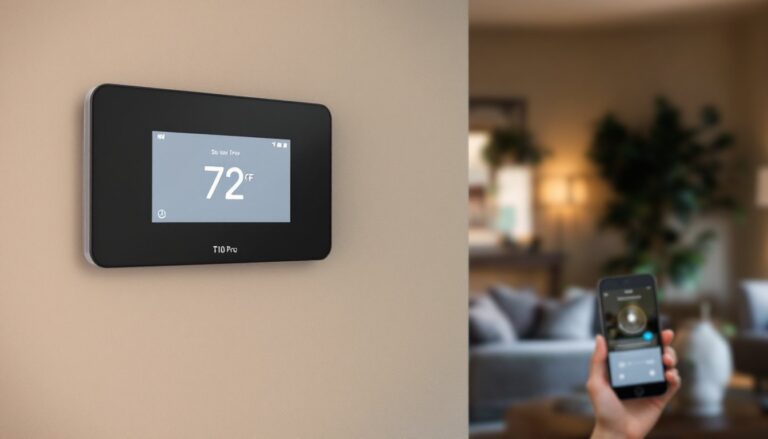
Looking to upgrade your home climate control without very costly? The Sensi smart thermostat ST55 offers a practical, no-nonsense alternative to premium smart home systems. This mid-range device delivers solid temperature control, smartphone management, and broad compatibility with most HVAC systems, all at a price that won’t drain your renovation budget. Whether you’re a tech-savvy homeowner or just tired of manual thermostat adjustments, the ST55 brings real convenience to daily living. Let’s walk through what this thermostat does, how to install it, and whether it’s the right fit for your home.
Table of Contents
ToggleKey Takeaways
- The Sensi smart thermostat ST55 provides affordable WiFi-enabled temperature control and remote smartphone management, bridging the gap between basic programmable models and expensive premium smart systems.
- Installation is DIY-friendly in 20–45 minutes if you have a C-wire, but you’ll need a licensed electrician ($150–$300) if your system lacks one; always turn off power at the breaker before starting.
- The ST55 maintains temperature within 1–2 degrees of your setpoint and responds to scheduling and geofencing commands within 30 seconds to 2 minutes, with expected energy savings of 10–15% for households transitioning from manual thermostats.
- Smart home integration with Alexa, Google Assistant, and Apple HomeKit is included, though the app lacks advanced automation rules—you’ll program schedules manually rather than relying on learning algorithms.
- Compatibility requires a 24-volt HVAC system, strong WiFi coverage, and confirmation of your current wiring; older window units, mini-splits, or specialized systems may not work.
- At $150–$200 installed professionally or $100–$150 DIY, the ST55 costs roughly $80 more than basic programmable thermostats but $100 less than learning models, making it ideal for homeowners seeking control without premium pricing or complexity.
What Is the Sensi Smart Thermostat ST55?
The Sensi smart thermostat ST55 is a WiFi-enabled programmable thermostat designed to replace your existing wall-mounted unit. Instead of walking over to adjust temperature, you control it from your phone, set schedules, and monitor energy usage from anywhere. It’s built by Emerson Climate Technologies, a name with real credentials in HVAC, and it bridges the gap between basic programmable thermostats and high-end smart systems that cost twice as much.
Unlike minimal upgrades, the ST55 isn’t just a plastic box with a screen. It learns your patterns, senses when nobody’s home, and can cut heating or cooling to save money during peak hours. The display is clear and responsive, and the setup process doesn’t require an electrician, though some homes with unusual wiring may need a pro’s eye.
Why consider it? If you’re replacing a 20-year-old dial thermostat or a basic digital model, this is a meaningful step up. You get remote control, scheduling smarts, and energy reports without the complexity or price tag of premium brands.
Key Features and Specifications
The ST55 packs essential smart features into a compact form factor. It supports both heating and cooling systems, works with gas, electric, and heat pump setups, and offers geofencing so the system automatically adjusts when you leave or return home. The 7-day programmable schedule lets you set different temperatures for weekdays and weekends, while the mobile app provides push notifications and energy usage breakdowns.
Temperature accuracy sits at ±1°F, which is standard for this class of thermostat. The device requires a C-wire (common wire) for operation, more on that in installation, and has a 1.5-inch display that’s legible without magnification. Battery backup keeps basic functions running during power loss, and it integrates with Amazon Alexa, Google Assistant, and Apple HomeKit (via a HomeKit hub).
One honest note: the ST55 won’t compete with learning thermostats that adapt behavior over weeks of observation, but it handles scheduled automation just fine. For a 2,000 to 3,500 square-foot home with standard HVAC, this is solid.
Compatibility and Setup
Before buying, confirm your setup will work. The ST55 requires a 24-volt heating/cooling system, most central HVAC units fit this spec, but older window units, mini-splits, or specialized systems may not. Check your current thermostat’s wiring diagram or call your HVAC company if you’re uncertain.
You’ll need WiFi coverage near the thermostat location. A weak signal means unreliable remote access and delayed commands. If your router is far away, a mesh WiFi system or WiFi extender solves this problem.
The C-wire requirement is non-negotiable. This wire powers the thermostat constantly. If your current system lacks a C-wire, you have two paths: hire an electrician to run one from your furnace/AC unit to the wall (typically $150–$300), or use a power adapter (about $30–$50) that drawspower from the heating/cooling circuit. Both work, though the true C-wire is cleaner.
Installation Guide for DIY Homeowners
Installation takes 20 to 45 minutes if you have a C-wire ready. Here’s the process:
Before you start:
- Turn off power to your HVAC system at the breaker.
- Take a photo of your current thermostat’s wiring. Label each wire (R, Y, G, W, C) with tape and a marker.
- Gather a flathead screwdriver, needle-nose pliers, and wire strippers.
Steps:
-
Remove the old thermostat. Unscrew the faceplate and carefully pull it away from the wall. Most models have 4 to 6 wires inserted into terminals: gently pull each one out and note its position.
-
Prepare the wall plate. Remove the old backing plate and inspect the wall for damage or large gaps. If holes are oversized or the wall is cracked, use a small drywall patch or caulk before mounting the new base.
-
Connect the wires to the ST55 base. The Sensi base has labeled terminals (R, Y, G, W, C). Insert each wire into its matching terminal, the terminals accept 18 to 12 gauge wire. Push firmly until you feel a click. Double-check each connection is secure.
-
Secure the base to the wall. Use the provided mounting hardware and a level to ensure the base sits straight. Screw it into studs or use drywall anchors rated for the thermostat’s weight (about 4 ounces).
-
Snap on the display unit. Once the base is mounted and wired, click the display onto the base. It powers on automatically.
-
Restore power and configure. Flip the breaker back on. Follow the on-screen setup wizard to connect to WiFi, name your system, and select your HVAC type (heat/cool, gas/electric, etc.).
Safety note: Always turn off power at the breaker before touching HVAC wiring. If you’re unsure about wiring, hire a licensed HVAC tech: a $150 service call beats a fried system or electrical hazard. Also, wait 5 minutes after powering on before making HVAC adjustments, the system needs time to initialize.
Performance and Temperature Control
In real-world use, the ST55 maintains temperature within 1 to 2 degrees of your setpoint on most days. It responds to schedule changes and geofencing commands in 30 seconds to 2 minutes, which feels responsive during daily operation. The geofencing feature works well if you’re consistent with your phone location: it occasionally triggers false positives if you’re near but not home, so many users refine their geofence radius after a week or two.
Energy savings depend on your habits and climate. If you’re shifting from a manual thermostat to scheduled control, expect 10 to 15% reduction in heating/cooling costs. Users in moderate climates report bigger savings than those in extreme heat or cold, where HVAC runs nearly constantly regardless of setpoints.
The ST55 shows a clear energy report in the app, daily and monthly breakdowns of runtime hours and estimated costs. This transparency helps you identify whether settings are actually saving money or just making you uncomfortable. Unlike predictive thermostats, it doesn’t learn patterns automatically, so you’ll program schedules based on your own routine. That’s more manual setup, but it also means no surprises from “learning mode.”
Smart Home Integration and App Control
The Sensi app is straightforward, no hidden menus or confusing UI. You see current temperature, setpoint, mode (heat/cool/off), and can adjust any setting in two taps. Push notifications alert you to temperature swings, scheduling changes, or HVAC runtime issues. The app works on iOS and Android without regional restrictions or subscription tiers (the basic app is free: premium features like detailed reports are also included).
Voice control via Alexa or Google Assistant works well: “Alexa, set the thermostat to 72 degrees” executes instantly. Apple HomeKit support requires a HomeKit hub (Apple TV, HomePod mini, or iPad), but once set up, Siri commands work reliably. If you’re already deep in one ecosystem, this integration makes the ST55 feel less like a standalone device and more like part of your system.
One limitation: no true automation rules (like “lower temperature when bedroom sensor detects nobody home”). You can set schedules and geofencing, but you can’t build complex scenes. If you want that level of control, step up to a learning thermostat or build automations through HomeKit or Google Home separately. Smart home reviews at Digital Trends regularly compare integration depth across thermostats if you want to dive deeper into automation options.
Is the Sensi ST55 Worth It?
The Sensi ST55 makes sense if you want reliable remote control, scheduling, and energy tracking without premium pricing. Compare it to three scenarios:
Versus a basic programmable thermostat: The ST55 costs $150–$200 installed by a pro (or $100–$150 DIY). A basic programmable is $50–$80. You’re paying roughly $80 more for remote access, better energy visibility, and voice control. If you’re home 40+ hours a week or manage a rental property remotely, that extra spend pays back in convenience and monitoring.
Versus a learning thermostat (Nest, Ecobee): Those run $250–$350+ and adapt to your schedule over weeks. The ST55 demands manual programming but costs $100+ less. If you’re patient with schedules and don’t move often, the ST55 saves money. If you rent or switch routines frequently, a learning thermostat adapts better.
Versus DIY with a basic smart outlet: You could buy a $15 smart plug and manually control a old furnace, but that’s dangerous and doesn’t actually control temperature, it just cuts power. Don’t do this.
Bottom line: the ST55 works best in a mid-range home with standard HVAC, stable occupancy, and a desire for control without complexity. CNET’s reviews and Tom’s Guide’s buying guides both assess similar mid-range thermostats if you want side-by-side comparisons before committing.
If your HVAC is due for replacement or you’re renovating, pair the thermostat with an HVAC pro’s assessment. The wrong thermostat paired with an undersized system won’t save you money, it’ll just run constantly. Get the hardware right first, then layer on smart control.
Final Thoughts
The Sensi smart thermostat ST55 delivers practical home climate control without unnecessary frills. Installation is doable for a confident DIYer, app control is intuitive, and energy savings are real if you actually use scheduling. It’s an honest upgrade for homeowners tired of manual adjustments or tired of paying for premium brands they don’t fully use. If you’re ready to modernize HVAC control on a reasonable budget, the ST55 is worth serious consideration.