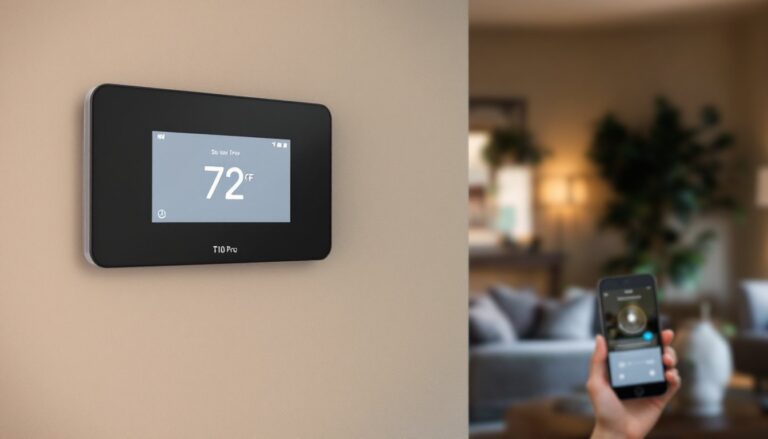
If you’re tired of wrestling with your thermostat or watching your heating and cooling bills climb every month, the Honeywell T10 Pro smart thermostat might be exactly what your home needs. This isn’t just another digital temperature dial, it’s a learning system that adapts to your lifestyle, integrates seamlessly with your existing smart home setup, and gives you granular control over every room in your house. Whether you’re a DIY enthusiast ready to install it yourself or someone curious about how modern thermostats actually save energy (not just promise to), this guide walks you through what makes the T10 Pro different, how to set it up, and the real-world strategies that deliver measurable savings.
Table of Contents
ToggleKey Takeaways
- The Honeywell T10 Pro smart thermostat stands out with native multi-room zoning, learning algorithms, and broad smart home integration (Alexa, Google Home, Apple Home, SmartThings) that eliminate the need for separate hardware per zone.
- Geofencing and learning technology can cut heating and cooling costs by 10–15% by automatically adjusting temperature when your home is empty and predicting your household’s natural patterns over time.
- Multi-room temperature control with wireless remote sensors lets you prioritize which rooms matter most, delivering 12–18% annual energy savings when combined with active sensor adjustment and geofencing.
- Most DIY homeowners can install the Honeywell T10 Pro in 30–45 minutes by matching existing thermostat wires to the included terminal map and using the setup app’s guided configuration.
- Monthly energy reports and seasonal sensor adjustments help you monitor actual savings against industry benchmarks and fine-tune zone priorities to maximize efficiency year-round.
What Makes The Honeywell T10 Pro Stand Out From Other Smart Thermostats
The market for smart thermostats is crowded, and most units promise similar features: remote access, energy tracking, and integration with voice assistants. The Honeywell T10 Pro separates itself with a few concrete advantages that matter in day-to-day use.
First, the T10 Pro natively supports multi-room zoning without requiring separate hardware for each zone. Traditional programmable thermostats measure temperature at a single point, usually near the thermostat itself, which means bedrooms upstairs might be cold while the living room bakes. The T10 Pro includes remote sensors that let you monitor and control temperature in specific rooms, so the system actually responds to where people are, not just a single sensor reading. This is especially valuable in homes with multiple stories, sprawling layouts, or rooms that get wildly different sun exposure.
Second, the learning algorithm is genuinely useful. Rather than requiring you to create complex schedules, the T10 Pro watches your patterns, when you typically leave for work, when you return, when you adjust temperature, and automatically suggests or applies schedules that match your routine. It’s not magic, but it removes the friction of manual programming that makes most people abandon their thermostat’s scheduling features entirely.
Third, integration depth sets it apart. The T10 Pro plays well with Amazon Alexa, Google Home, Apple Home, and Samsung SmartThings, meaning it fits into whatever ecosystem you’ve already invested in. According to independent testing by CNET, the device’s compatibility and responsiveness across platforms outperform competing models in practical use. You’re not locked into a single voice assistant or app ecosystem.
Key Features That Deliver Real Energy Savings and Comfort
Energy savings aren’t automatic, they come from features you actually use. Here’s what the T10 Pro offers and how each one genuinely impacts your utility bill.
Geofencing and Learning Technology
Geofencing sounds gimmicky until you realize how much energy you waste heating or cooling an empty house. The T10 Pro uses your smartphone’s location to know when everyone has left and when the first person is heading home. You can set it to automatically lower the temperature when the house is empty and begin warming (or cooling) before you arrive. In moderate climates, this alone can cut heating and cooling costs by 10–15% simply by avoiding conditioning unused space.
The learning component learns your household’s natural patterns. If you leave at 8 a.m. every weekday and return at 5:30 p.m., the system will eventually predict this and adjust your schedule without you micromanaging it. Over time, the algorithm refines itself, and because it’s cloud-connected, updates happen automatically, adapting to seasonal changes and your own evolving habits.
Multi-Room Temperature Control and Smart Sensors
The included wireless remote sensors (you can add up to three additional ones) measure temperature in different zones. Instead of the thermostat controlling the whole house to match one room’s comfort, you prioritize which rooms matter most. If your home office gets morning sun and heats up to 75°F while your bedroom stays cool, the system balances output so both spaces reach your target temperature. Digital Trends’ hands-on review highlights that the multi-zone approach is particularly effective in homes where traditional single-thermostat control leads to constant manual adjustments.
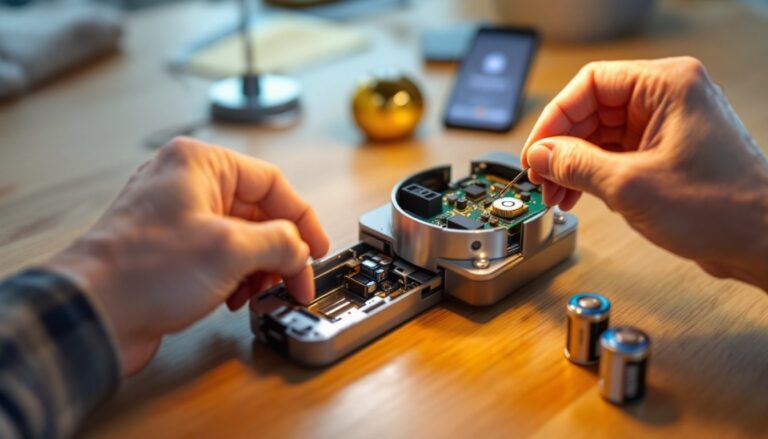
Sensors pair easily via Bluetooth and communicate with the thermostat without needing additional wiring. Each sensor includes a built-in battery indicator, so you’re not caught off-guard when batteries die. Placement is straightforward, any room where you spend significant time and want active temperature control is a good candidate.
Installation and Setup for DIY Homeowners
If you’re comfortable with basic electrical work and can read a wiring diagram, installing the Honeywell T10 Pro is a straightforward DIY job. Most homeowners can complete it in 30–45 minutes with basic tools.
Before you start: Turn off power at your breaker panel to your existing thermostat. This is non-negotiable for safety. Take a photo of your current wiring before disconnecting anything, you’ll need it to identify which wires go where on the T10 Pro.
Your existing thermostat wires (typically four to eight) control different functions: heating, cooling, fan, and sometimes a common wire. The Honeywell T10 Pro includes a terminal map printed on the device and in the manual showing exactly where each wire connects. Match wire colors and functions, not assumptions. If you find unlabeled or unusual wiring, the app includes a diagnostic feature that walks you through terminal identification.
The unit itself uses standard wall-mounting hardware and fits most existing thermostat openings. Once wired, power on the breaker, and the T10 Pro boots up automatically. The setup app guides you through WiFi connection, account creation, and initial preferences, no tech-heavy configuration required. The remote sensors pair via Bluetooth and mount on walls or shelves in target rooms.
When to call a professional: If your HVAC system uses a C-wire (common wire) and your home doesn’t have one installed, the T10 Pro includes an internal C-wire adapter that solves this. But, if your system is older or uses unusual control circuits, hire a licensed HVAC technician. Mismatched wiring can damage equipment or fail to control heating/cooling. Permits vary by jurisdiction, check locally before starting, though most thermostat replacements don’t require them.
Maximizing Your Energy Savings With Smart Scheduling
Once installed, the T10 Pro begins learning immediately, but you can accelerate savings by setting intentional schedules and using its reporting features.
Set wake and away times aligned to your routine. The app lets you create separate schedules for weekdays and weekends. If you sleep warmer but like the bedroom cool during the day, set the bedroom sensor as the priority at night and a living room sensor during the day. The system doesn’t just blindly follow a preset, it uses occupancy and geofencing to adjust intelligently.
Review monthly energy reports. The app displays your heating and cooling usage compared to the previous month, season, and industry benchmarks for homes your size and location. This data is gold: it shows you whether seasonal changes, vacation patterns, or behavior tweaks actually reduced consumption. Many homeowners find that simply seeing numbers motivates them to fine-tune settings further.
Use recovery mode intelligently. Recovery mode calculates when to start heating or cooling so your home reaches target temperature exactly when you arrive. Set it for about 30 minutes before you expect to walk in. This prevents the system from ramping up hours early, which wastes energy.
Layer in remote sensor assignments seasonally. In winter, prioritize bedrooms and living spaces: in summer, focus on rooms that get afternoon sun. The flexibility means you’re not stuck with one zone priority year-round. According to Tom’s Guide’s testing, households that actively adjust sensor priority and use geofencing saw average energy savings between 12–18% annually compared to manual thermostat control.
Conclusion
The Honeywell T10 Pro delivers real comfort improvements and measurable energy savings because it combines learning algorithms, multi-room control, and seamless smart home integration, not gimmicks. Installation is within reach for most DIYers, and once running, the device adapts to your household rather than forcing you into rigid schedules. Start with geofencing and basic scheduling, monitor your energy reports, and refine zone priorities as you discover which rooms benefit most from active control. That’s how smart thermostats actually work.