A smart lock box sits quietly in your home, protecting what matters most without requiring a trip to the bank or a hiding spot behind the bookshelf. Whether you’re storing important documents, jewelry, medications, or other valuables, a modern smart lock box combines traditional security with the convenience of digital access control. Unlike conventional safes that demand a physical key or memorized combination, these intelligent containers let you grant access remotely, track who opened them and when, and receive instant alerts if someone tries to breach them. For homeowners and DIY enthusiasts looking to upgrade their security setup without extensive installation, a smart lock box is a practical, increasingly affordable solution that fits seamlessly into your home security ecosystem.
Table of Contents
ToggleKey Takeaways
- A smart lock box provides secure storage with digital access control, eliminating the need for physical keys or hidden combinations while offering remote access and timestamped activity logs.
- Multi-factor authentication—combining methods like fingerprints and PINs—makes a smart lock box significantly more secure than single-method locks.
- Smart home integration with platforms like Amazon Alexa and Apple HomeKit enables convenient remote access and real-time notifications when your valuables are accessed.
- Proper placement in climate-controlled interior spaces and secure wall mounting with studs prevent both environmental damage and theft of your smart lock box.
- Changing default passwords, auditing access logs monthly, and applying firmware updates promptly are essential maintenance steps to maximize your smart lock box’s security.
What Is a Smart Lock Box and Why You Need One
A smart lock box is a secure container equipped with digital locking mechanisms controlled via smartphone app, keypad, biometric sensor, or remote access. Unlike traditional safes, which rely on mechanical locks and keys, smart lock boxes use encryption, wireless connectivity, and automated logging to manage access to your valuables.
The appeal is straightforward: you eliminate lost keys, forgotten combinations, and the need to physically retrieve the box to check its contents. A homeowner can grant a family member, houseguest, or contractor temporary access to a specific item, say, a spare house key or emergency medication, without handing over a physical object or leaving something hidden. Real estate agents use them to secure lockbox keys for showings. Parents use them to store important documents or valuables away from casual access by children.
For DIY enthusiasts and homeowners, the real value is control and transparency. You get timestamped logs of every access attempt, successful or failed. You’re notified immediately if someone tries the wrong code repeatedly or if the box is moved unexpectedly. That level of visibility alone prevents a lot of problems, from package theft to unauthorized rummaging.
Key Features to Look For When Choosing a Smart Lock Box
Not all smart lock boxes are created equal. The best choice depends on what you’re storing, where it’ll live, and how much convenience you’re willing to trade for security.
Access Control and Authentication Methods
Authentication is the gatekeeper. Your smart lock box might use a keypad PIN, biometric fingerprint reader, app-based access, or a combination of these. Keypads are simple but require you to guard the code: fingerprint sensors add a layer, only specific people unlock it, but they can fail if fingers are wet or dirty. App-based access is convenient for remote granting, but it depends on your home’s Wi-Fi or the device’s cellular backup.
The strongest setup combines multiple methods. A box that requires both your fingerprint and a PIN is harder to breach than one or the other alone. If you live in an area with spotty internet, choose a lock box with offline PIN or mechanical override capability, you don’t want to be locked out of your own valuables because your router went down.
Also check whether the box logs failed access attempts. If someone tries ten wrong codes, you want to know. That’s a security feature, not just a convenience.
Connectivity and Smart Home Integration
A truly smart lock box connects to your home network via Wi-Fi or Bluetooth and integrates with major platforms like Amazon Alexa, Google Home, or Apple HomeKit. This lets you control access from anywhere and receive notifications on your phone when the box is accessed.
Wi-Fi connectivity is ideal if you want remote access from anywhere, even when you’re not home. Bluetooth is simpler but limits control to when you’re nearby. Some boxes offer both: Wi-Fi for remote management and Bluetooth as a local backup if Wi-Fi fails.
Real-world example: you can grant your aging parent access to a medication box, receive an alert when they open it, and revoke access if you ever need to. That’s powerful stuff. Reviews from tech outlets like CNET consistently highlight integration with major smart home ecosystems as a key deciding factor, so check compatibility before buying. If you’re invested in an Apple Home setup, a HomeKit-compatible box will slot in more smoothly than a standalone device.
Installation and Setup Tips for Your New Smart Lock Box
Most smart lock boxes ship ready to use, no specialized wiring, permits, or contractor calls required. Installation is where the DIY advantage shines.
Location matters first. Place your box in a climate-controlled interior space, not outdoors or in an uninsulated garage, where temperature swings and moisture can corrode electronics or weaken seals. A bedroom closet, home office, or interior wall is ideal. Avoid areas prone to water exposure (near bathrooms or kitchens) unless the box is explicitly waterproof-rated.
Mounting is optional but recommended. Wall-mounted or bolted boxes are harder to steal than freestanding ones. Most smart lock boxes come with pre-drilled mounting holes and hardware. Use lag bolts or heavy-duty screws appropriate to your wall type, wood studs, drywall anchors, or concrete fasteners, depending. If mounting to drywall alone, the box will be only as secure as the anchors: ideally, you bolt it into a stud on each side for real strength.
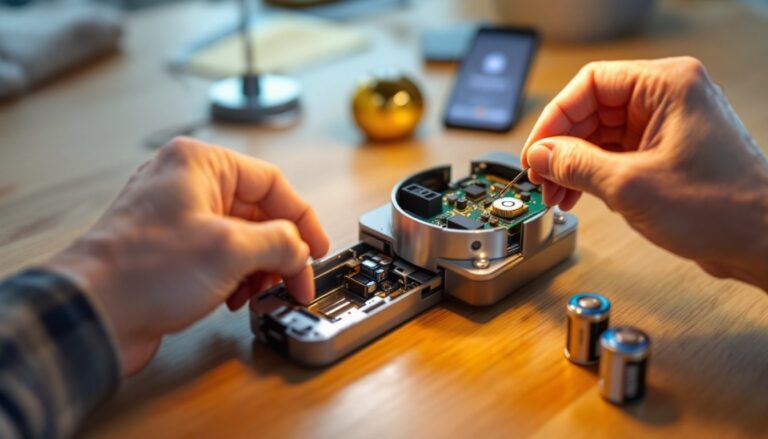
Power and connectivity setup comes next. Some boxes run on battery (alkaline or rechargeable), others plug into AC. Hybrid models give you both. If using batteries, note the expected lifespan (typically 1–2 years for 4–8 AAs) and set a phone reminder to check them annually. For hardwired boxes, run the cable out of sight, behind trim or through a small conduit, and use a surge protector.
Then configure your app and network. Download the manufacturer’s app, create your account, and connect the box to your home Wi-Fi. This step can be fussy: make sure your phone and the box are on the same Wi-Fi band (2.4 GHz, not 5 GHz, for older boxes), and that you’re entering your Wi-Fi password correctly. If it won’t connect, restart your router and try again. Once connected, set your primary access method (PIN, fingerprint, or both), test it a few times, and configure your notification preferences.
Maximizing Security and Maintaining Your Smart Lock Box
A smart lock box is only as secure as you keep it. Here’s how to prevent common missteps.
Change default passwords and PINs immediately. Manufacturers often ship with master codes or default pairing credentials. The moment you power on your box, replace these with something unique and hard to guess, not your birthday, address, or a simple sequence like 1234. Store that PIN somewhere safe (a password manager works great) but not stuck on the box itself or texted to roommates.
Use strong, unique app credentials. Your lock box account should have a password different from your email password or other accounts. Two-factor authentication, if available, is worth enabling, it adds another barrier if someone ever compromises your account.
Audit access regularly. Your app should show a log of every access attempt and who granted it. Check that log monthly. If you see unexpected access, revoke that person’s credentials immediately. If you granted temporary access to a contractor or guest, remove it as soon as the window closes, don’t leave standing access indefinitely.
Maintenance is minimal but essential. Wipe the keypad or fingerprint sensor monthly with a slightly damp microfiber cloth to remove dust and oils that can interfere with recognition. Check battery levels quarterly if the box is battery-powered, and replace batteries before they fully drain (some boxes lock up if batteries hit zero). Inspect the door seal for debris and clean the lock mechanism gently if it gets stiff.
Firmware updates are security updates. When the manufacturer releases an update through the app, apply it promptly. These often patch vulnerabilities or improve connectivity. Digital Trends regularly covers smart home security updates and best practices, so checking their latest guidance occasionally is worthwhile.
Consider your home Wi-Fi security too. If your home network is weak or uses default router credentials, an attacker on your network could potentially interfere with your lock box. Use WPA3 encryption on your router (or WPA2 if WPA3 isn’t available), set a strong password, and hide your SSID if you’re extra cautious. This protects not just your lock box but everything on your network.
Conclusion
A smart lock box bridges the gap between old-school security and modern convenience. It’s a straightforward DIY upgrade that doesn’t require framing walls, pulling permits, or hiring a professional. Choose one with authentication methods and connectivity that fit your needs, mount it securely, configure it carefully, and maintain it diligently. Done right, it keeps your valuables protected and gives you peace of mind, and remote access when you need it.