A smart lock interlock system is a dual-access security mechanism that prevents simultaneous entry through multiple doors, a critical safeguard for modern homes. Whether you’re protecting a basement entry while someone’s in the crawlspace, managing access between adjacent rooms, or securing mudrooms and garages, interlock technology ensures only one door can unlock at a time. In 2026, these systems have moved beyond industrial settings into residential design, merging convenience with genuine security. This guide walks you through what interlock systems are, how they work, and whether one makes sense for your home’s specific needs.
Table of Contents
ToggleKey Takeaways
- A smart lock interlock prevents simultaneous unlocking of multiple doors, enforcing sequential access through a digital or mechanical rule rather than relying on user discipline.
- Wired interlock systems offer rock-solid reliability without WiFi dependency, while wireless systems install faster but require robust battery backup and clear signal paths.
- Smart lock interlock technology is ideal for high-value scenarios like crawl space access, rental properties, HVAC rooms, and home offices where audit trails and controlled access matter.
- Interlock systems fail safely—either staying locked or unlocking all doors to prevent entrapment—and typically respond in under one second with power backup lasting 6–12 months minimum.
- Installation for wireless interlocks requires no wall cutting, while wired systems need 18/2 cable runs through walls, taking 4–6 hours for a two-door basement setup.
- Unlike traditional dual-lock setups, smart lock interlocks eliminate accidental breaches by making it mechanically or digitally impossible to access both secured areas simultaneously.
What Is Smart Lock Interlock and Why It Matters for Home Security
A smart lock interlock is a coordinated system where two or more electronically controlled locks communicate to prevent both from unlocking simultaneously. Think of it as a safety handshake: when door A is unlocked, door B stays locked until A is secured again. This isn’t about preventing access, it’s about controlling the sequence of access.
Traditional dual-lock setups rely on manual keys or independent smart locks with no communication between them. An interlock system, by contrast, enforces a mechanical or digital rule that makes simultaneous unlocking impossible. This matters most in homes with controlled-environment spaces like crawl space access, finished basements, or HVAC rooms where you need to prevent someone from leaving one secured area while another remains open.
From a security standpoint, interlocks reduce the risk of accidental breaches. They’re especially valuable in rental properties where property managers need accountability, a tenant can’t open the basement door and the exterior door at the same time, creating an audit trail of who accessed what, and when. Homeowners with multi-zone heating, security-sensitive storage, or guests often appreciate the forced discipline of sequential access.
How Smart Lock Interlock Systems Work
Smart lock interlock systems operate on either a wired connection or a wireless protocol, both involving a central controller and individual lock units.
In a wired setup, locks communicate through low-voltage cabling (typically 12V or 24V) run through your walls during installation. When the first lock engages, it sends a signal to the controller, which immediately denies power or access credentials to the second lock. These systems are rock-solid, no WiFi dropout, no latency, and are the gold standard for retrofit basements or crawl spaces where reliability is non-negotiable.
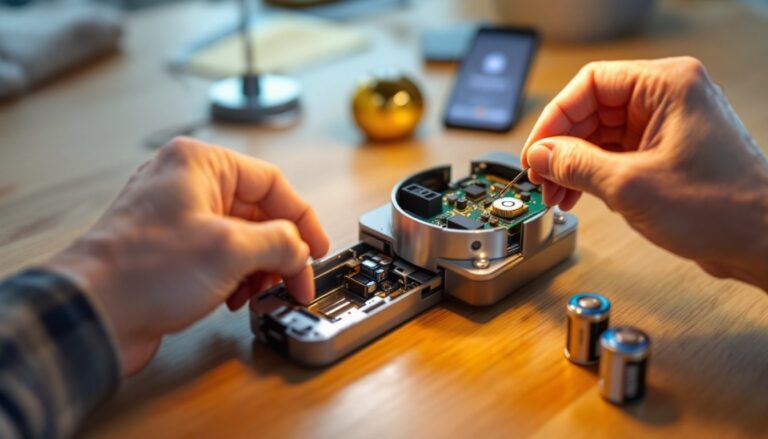
Wireless interlock systems use Z-Wave, Zigbee, or proprietary RF protocols to relay commands. A smartphone app or wall-mounted hub lets you unlock door A, and the lock’s firmware automatically prevents door B from responding to unlock commands. Wireless systems are faster to install (no wall-chasing required) but depend on signal strength and battery life in each lock unit.
The controller itself can be a dedicated device, a smart home hub (like a SmartThings or Home Assistant setup), or logic built directly into the locks. More advanced systems include pressure sensors or RFID cards, adding an extra layer: you can’t exit through door B until the sensor confirms door A is physically closed. This prevents someone from propping open the first door while accessing the second. Response time is typically under one second, fast enough for practical use, slow enough that you won’t accidentally trigger it while turning a key.
Key Features to Look for When Choosing an Interlock System
Start with communication method: wired systems are more reliable but require wall prep: wireless systems install faster but need robust battery backup and clear signal paths. If you’re retrofitting an older home or can’t easily run conduit, wireless is practical. For new construction or serious security zones (like a safe room), wired is worth the effort.
Look for power backup. Interlock locks should fail safely, meaning if power dies, the system should either stay locked (safest) or unlock all doors to prevent entrapment. Batteries in wireless locks must last 6–12 months minimum between changes. Check the manufacturer’s spec sheet: cheap units drain batteries in 3–4 months with heavy use.
Integration with your existing ecosystem matters. Does the system work with your current smart home platform (HomeKit, Google Home, Alexa)? Can you integrate it with your security system or access logs? A lock that only works through its own app is more friction than it’s worth.
Installation and Setup Basics for DIY Homeowners
If you’re tackling this yourself, here’s what to expect. For wireless systems, you’ll install each lock unit into the existing strike plate area, no wall cutting required. You’ll need a power drill with a 1⅛-inch spade bit to create the latch pocket if your door doesn’t already have one. Most residential interior doors have standard 2⅜-inch backset (distance from edge of door to center of lock hole): confirm this before ordering.
For wired systems, you’ll run 18/2 or 16/2 stranded copper cable between lock locations, often through the rim (the area between the door frame and wall stud). This requires cutting drywall, fishing cable, and patching, budget 4–6 hours for a two-door setup in an unfinished basement, longer if you need to fish through finished walls.
Before touching anything, measure twice: door thickness (standard is 1¾ inches for interior doors), backset distance, and the vertical height where you want the lock mounted. Confirm the lock body will clear the strike plate without binding. Use a stud finder to avoid drilling into hidden plumbing or electrical.
Always follow the manufacturer’s wiring diagram exactly. Reversed polarity in a 12V system won’t destroy the lock, but it won’t work either. Label your cable runs and take photos before closing walls, future troubleshooting will thank you. If the system requires a smart hub, place it centrally in your home and wait at least 24 hours before troubleshooting signal issues: devices sometimes take a day to fully sync.
Smart Lock Interlock vs. Traditional Dual-Lock Setups
A traditional dual-lock setup uses two independent smart locks, say, one on your basement door and one on the exterior bulkhead. Both locks receive power and can be controlled separately through an app or keypad. There’s no enforcement preventing someone from unlocking both simultaneously. You’re relying on user discipline or physical barriers (like a closed door) to maintain security.
An interlock system removes that dependency. The second lock simply won’t unlock while the first is active. This is a mechanical or digital certainty, not a procedure. For high-traffic areas, like a mudroom where contractors or family members might not follow protocol, an interlock is genuinely safer.
Traditionally dual-lock setups are cheaper upfront because you’re buying two commodity smart locks rather than a purpose-built interlock system with a dedicated controller. If your need is lightweight (a basement closet, a guest cottage lock sequence), two independent locks might suffice. But if access control and audit trails matter, like managing a rental basement or HVAC room, an interlock justifies the extra cost. Top-ranked models reviewed on CNET’s smart lock roundup and Tom’s Guide’s latest picks include interlock-compatible options, though you’ll want to verify compatibility with your planned controller before purchasing.
Smart Lock Interlock vs. Traditional Dual-Lock Setups
Smart lock interlock technology shines in specific, high-value scenarios. Crawl space and basement access is the textbook case: a homeowner or inspector unlocks the main basement door, descends, then must lock it before the exterior bulkhead can open. This prevents accidental tailgating and ensures no open pathways into your foundation zone.
Multi-zone HVAC or mechanical rooms benefit from interlocks too. In homes with a furnace room or water heater closet, an interlock between the main door and an isolation door ensures that whoever’s servicing the equipment enters the isolation space first, closes that door, then accesses the primary system. If a second person approaches, the first door won’t open until the service area is re-secured.
Rental properties and accessory dwellings (ADUs) see huge value in interlocks. A tenant in a basement apartment can’t leave their private entrance open while accessing shared laundry or storage. The interlock creates an audit trail: lock B was accessed at 3 p.m., meaning someone entered the shared space, useful for resolving disputes about who used what and when.
Home offices with sensitive equipment or data storage also benefit. An interlock between the office door and a server closet door ensures only one is open at a time, reducing the risk of equipment theft or unauthorized access. Some homeowners use interlocks on safe room doors, wine cellars, or climate-controlled workshops for the same reason: controlled, sequential access with a digital log.
Conclusion
Smart lock interlock systems are a practical upgrade for homes where sequential access control matters. They eliminate user error, create accountability, and add genuine security value in multi-zone or rental scenarios. Installation ranges from straightforward (wireless) to intermediate (wired), and the ecosystem is mature enough in 2026 that reliable options exist across price points. If you’re managing basement access, HVAC zones, or rental spaces, an interlock is worth exploring. For casual homeowners with simple security needs, traditional dual locks may suffice, but if discipline and automation appeal to you, an interlock delivers both.