Smart power outlets are transforming how homeowners manage electricity consumption and control devices around their homes. Unlike traditional outlets, these intelligent devices let you turn plugged-in appliances on or off remotely using a smartphone, tablet, or voice command, even when you’re away from home. Whether you’re looking to cut energy costs, simplify your daily routine, or build out a smarter living space, smart power outlets offer a practical entry point into home automation. They’re relatively affordable, don’t require rewiring, and most people can install them in minutes. This guide walks through what smart outlets are, their real benefits, the key features worth considering, and how to set one up as a DIYer.
Table of Contents
ToggleKey Takeaways
- Smart power outlets eliminate phantom power drain, which accounts for 5-10% of residential electricity use, potentially saving $10-25 per month on your electric bill.
- These devices offer remote control and scheduling capabilities through smartphone apps or voice commands, allowing you to manage appliances from anywhere.
- When choosing a smart power outlet, prioritize Wi-Fi connectivity, adequate power rating (up to 15 amps), energy monitoring features, and compatibility with your voice assistant ecosystem.
- Installation requires no electrical work—simply plug the smart outlet into a wall outlet, download the companion app, and follow the on-screen pairing prompts in minutes.
- Smart outlets work best when started with 1-2 devices on high-drain appliances, allowing you to track real energy savings and expand your home automation setup gradually.
What Are Smart Power Outlets and How Do They Work?
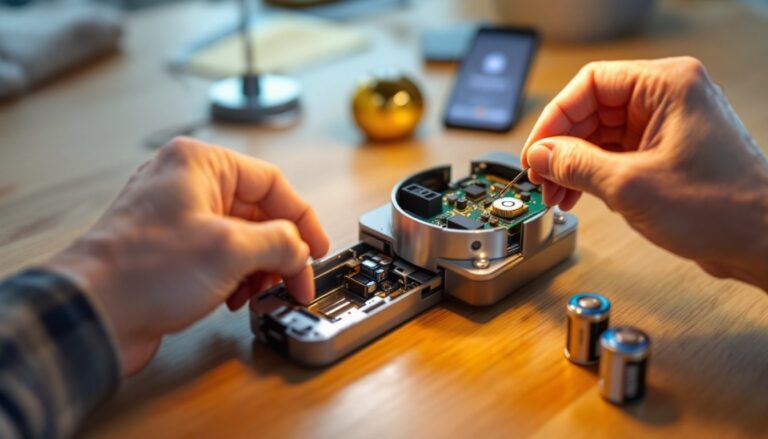
A smart power outlet is essentially a traditional outlet wrapped in a thin shell of electronics. You plug it into a standard wall outlet, then plug your device into the smart outlet itself. Inside, a small circuit controls power delivery to the outlet, and a built-in Wi-Fi or Bluetooth radio lets you talk to it remotely.
These outlets connect to your home network and sync with a companion smartphone app. Once connected, you can flip the outlet on or off from anywhere, your couch, the office, or while on vacation. Many modern smart outlets also support voice assistants like Amazon Alexa or Google Assistant, so you can command them by voice. “Hey Alexa, turn off the coffee maker” becomes possible without getting out of bed.
Internally, the device includes a relay, a small electromagnetic switch that breaks or completes the electrical circuit. When you issue a command, the smart outlet’s microprocessor triggers the relay, cutting or restoring power to whatever’s plugged in. Most outlets include a manual button on the face so you can still control the device if your Wi-Fi is down or you simply prefer the tactile switch.
Key Benefits of Installing Smart Power Outlets
Energy Savings and Cost Reduction
One of the biggest draws for smart outlets is their ability to cut phantom power drain, the electricity devices pull even when they’re “off.” A TV, printer, or coffee maker in standby mode still sips power. A U.S. Department of Energy study found that phantom loads account for 5-10% of residential electricity use. Smart outlets let you cut power completely to these devices on a schedule or on demand.
For example, you might set an outlet to automatically turn off your home office equipment at 6 p.m. on weekdays, or kill power to a space heater the moment you leave the house. Over a month or year, these small savings compound. Real-world results depend on what’s plugged in and how often you use it, but cutting standby power on 5-10 devices can shave $10-25 per month off your electric bill, more in regions with higher rates.
Some outlets track power consumption in real time, showing you exactly how much electricity each device is using. This data helps you identify energy hogs and make smarter choices about what stays plugged in.
Convenience and Remote Control
Smart outlets eliminate the need to physically reach a switch or appliance. If you forgot to turn off a lamp before leaving, you can do it from your phone. If you want your coffee maker running when you wake up, without a fancy coffee machine with its own timer, plug it into a smart outlet and schedule it to power on at 6:30 a.m.
This becomes even more useful during extended trips. You can simulate occupancy by turning lights on and off on a random schedule, which deters potential burglars. Alternatively, you can power down electronics entirely to avoid any risk of fire or damage from power surges while you’re gone.
Nest-building and pet owners also benefit: turning on a space heater before coming home on a cold day, or ensuring a heated pet bed stays warm while you’re at work. Voice control adds another convenience layer, no hands, no phone, just a voice command.
Smart Power Outlet Features to Look For
Not all smart outlets are created equal. When shopping, prioritize these features:
Wi-Fi vs. Bluetooth: Wi-Fi outlets work remotely over the internet and usually require a hub or direct connection to your router. Bluetooth-only outlets work only within Bluetooth range (typically 30-50 feet) but don’t need a hub. For most homes, Wi-Fi is more practical unless you only need local control. Experts reviewing the best smart plugs available in 2026 highlight reliable Wi-Fi connectivity as a top factor in reliability and ease of use.
Power Rating: Make sure the outlet’s maximum load matches what you plan to plug in. Most standard outlets handle up to 15 amps (1,800 watts), but some smart outlets are limited to 10 amps. Never exceed the outlet’s rating, it can overheat or fail. A typical space heater draws 1,500 watts, a hair dryer uses 1,800 watts, and a microwave pulls 1,000-1,500 watts. Know your device’s wattage before plugging it in.
Energy Monitoring: Not all smart outlets report power consumption. If you want detailed usage data, look for outlets with built-in power metering. This feature adds a few dollars but gives you solid visibility into what’s costing you.
Voice Assistant Compatibility: If you already use Alexa, Google Home, or another assistant, confirm the outlet works with your ecosystem. Most modern outlets support both, but always double-check.
App Reliability: Download the app before buying and read user reviews. A slick interface matters less than consistent, responsive control. Reviews on expert smart plug guides for 2026 emphasize app stability and quick response times as key to user satisfaction.
Scheduling and Automation: The ability to set recurring schedules (turn off every weeknight at midnight) saves time and energy. Look for outlets that let you create simple rules without requiring a separate hub or subscription.
Physical Size and Design: Smart outlets are bulky compared to standard ones. Some won’t fit well in crowded outlet banks if other plugs are nearby. Check dimensions, and consider whether the outlet will block access to adjacent outlets.
Installation and Setup Tips for DIYers
Installing a smart outlet is straightforward, there’s no electrical work involved, which is why it’s ideal for beginners.
Before You Start
Pick an outlet where your device will stay plugged in long-term. Avoid outlets behind furniture or in damp areas like bathrooms (unless you specifically buy a waterproof model). If the outlet is currently in use, unplug whatever’s there and test the outlet with a lamp to ensure it works.
Download the outlet’s companion app and create an account before you plug anything in. Having the app ready speeds up pairing.
Installation Steps
- Plug the smart outlet into a standard wall outlet. Make sure it’s fully seated and the outlet is switched on (if your outlet is controlled by a wall switch, verify it’s in the on position).
- Check the LED light. Most smart outlets flash a light during setup mode, usually a blue or green indicator. Wait 10-15 seconds for the light pattern to stabilize.
- Open the app and start pairing. Tap “Add Device” or “Connect New Outlet” and follow the on-screen prompts. The app will search for nearby devices.
- Select your home network. The outlet will ask you to choose your Wi-Fi network and enter your password. Make sure the outlet connects to your main 2.4GHz band (5GHz is not always supported by smart outlets).
- Name the outlet. Give it a descriptive name like “Living Room Lamp” or “Garage Heater” so you remember what it controls.
- Test the outlet. Toggle it on and off in the app. The outlet should click audibly and the LED should change. If the toggle works, you’re done.
Common Troubleshooting
If the outlet won’t connect to Wi-Fi, move it closer to your router temporarily. Smart outlets don’t have strong antennas, and distance or interference from other devices can prevent pairing. Once paired, it often works fine from farther away as long as your router is strong enough.
If you can’t find the outlet in the app, make sure your phone’s Bluetooth is enabled during setup (even Wi-Fi devices need Bluetooth to initially pair). Reset the outlet by unplugging it for 10 seconds, then plugging it back in and trying again.
Note: Smart outlets don’t increase your outlet capacity. If an outlet is already overloaded before adding the smart outlet, the smart outlet won’t solve that problem, you’ll still need an electrician to add circuits or outlets if required by code. When in doubt, consult a licensed electrician.
Conclusion
Smart power outlets are an accessible way to add automation, cut energy waste, and gain remote control over your home’s devices. They require no rewiring, install in seconds, and work with most homes and ecosystems. Start with one or two outlets on high-drain devices or appliances you frequently forget to turn off, track your savings, and expand from there. Hundreds of models exist across different price points, so comparing options using trusted reviews of top smart plugs for 2026 helps you find the right fit for your needs and budget.