The smart thermostat market has evolved dramatically over the past few years, and 2026 marks a pivotal moment for homeowners considering an upgrade. What started as a luxury gadget has become a practical investment, most homeowners can recoup their costs within a few years through energy savings alone. Whether you’re a DIY enthusiast tackling your first smart home project or an experienced renovator looking to modernize your heating and cooling, understanding what’s available helps you make a decision that fits your budget and lifestyle. This guide walks you through the current market landscape, key features to prioritize, and installation considerations to get your smart thermostat up and running.
Table of Contents
ToggleKey Takeaways
- The smart thermostat market is driven by rising energy costs, improved technology, government rebates, and growing demand for connected home ecosystems that make these devices practical investments for most homeowners.
- Quality smart thermostats typically deliver 10–15% savings on heating and cooling costs, paying for themselves within 13–20 months, making them one of the highest-ROI home upgrades available.
- Premium brands like Nest and Ecobee offer advanced learning and integration, while mid-range options from Honeywell Home and Emerson provide solid functionality at lower prices, with budget models starting as low as $60–120.
- Essential features to prioritize include automatic learning capabilities, smart home integration with Alexa or Google Home, geofencing, energy reports, and compatibility with your utility company’s time-of-use rates.
- Most homeowners can self-install a smart thermostat by carefully labeling existing wires and following color-coded guides, though complex systems or missing C wires may warrant a $75–200 professional installation.
- Check local rebates and government incentives before purchasing, as many regions offer $50–300 offsets that can significantly reduce upfront costs and accelerate your break-even timeline.
What’s Driving Growth In The Smart Thermostat Market
Energy costs keep climbing, and homeowners are increasingly serious about controlling them. The shift toward smart home ecosystems, voice assistants, smart locks, lighting, has also made thermostats more attractive: they’re one of the highest-ROI upgrades available. According to recent market analysis, the global smart thermostat market is expected to grow significantly through the late 2020s, driven by rising awareness of energy efficiency and widespread adoption of connected home platforms.
Manufacturers have also lowered barriers to entry. Installation is simpler than it used to be, compatibility with existing wiring is better, and app interfaces have become intuitive. Governments and utility companies now offer rebates and incentives for smart thermostat purchases in many regions, sometimes offsetting 30–50% of the upfront cost. This combination of consumer demand, technological refinement, and financial incentives has accelerated market growth dramatically.
Climate concerns play a role too. Homeowners understand that heating and cooling account for roughly 40–50% of residential energy consumption. A smart thermostat that learns your patterns and adjusts automatically appeals to both the wallet and the conscience. That dual motivation, savings plus sustainability, continues to reshape the market.
Key Players And Top Smart Thermostat Brands To Know
The market includes some well-established names and several newer competitors. Nest (owned by Google) remains a leader, particularly for homes invested in the Google ecosystem. Ecobee has carved out a strong position by bundling a room sensor with their premium model, which helps balance temperature across your home. Honeywell offers models across price points and integrates well with older HVAC systems. Carrier and Lennox provide options if you have their equipment already installed.
For Amazon-focused homes, Honeywell Home models work directly with Alexa. Emerson is solid for those prioritizing simplicity over advanced features. Newer brands like Tado and Wyze (at the budget end) have attracted attention with competitive pricing and decent functionality, though they may lack some advanced learning capabilities.
When comparing options, you’re essentially choosing between three tiers: Premium (Nest, Ecobee) offers aggressive learning and full smart home integration: Mid-range (Honeywell Home, Emerson) balances features and cost: Budget (Wyze, basic Ecobee models) gets you connected control without the bells and whistles. Reviews on leading tech publications evaluate the latest models with detailed performance comparisons to help narrow your choice.
Essential Features Every Homeowner Should Look For
Before you buy, understand what actually matters for your home and priorities.
Learning Capabilities And Energy Savings
The best smart thermostats learn your schedule and temperature preferences, then adjust automatically. Nest, for instance, programs itself over the first week by observing your behavior. Look for models that can distinguish between heating and cooling seasons and adjust scheduling independently. Some thermostats also provide weekly energy reports, useful data for spotting inefficiencies.
Since energy savings are often the primary payoff, check manufacturer estimates conservatively. Most quality models promise 10–15% savings on heating/cooling costs: independent tests often confirm this range, though results vary by climate and how much you adjust settings manually. A thermostat that integrates with your utility company’s time-of-use rates (cheaper power at certain hours) can unlock additional savings. Verify this feature is available in your region before prioritizing it.
Smart Home Integration And App Control
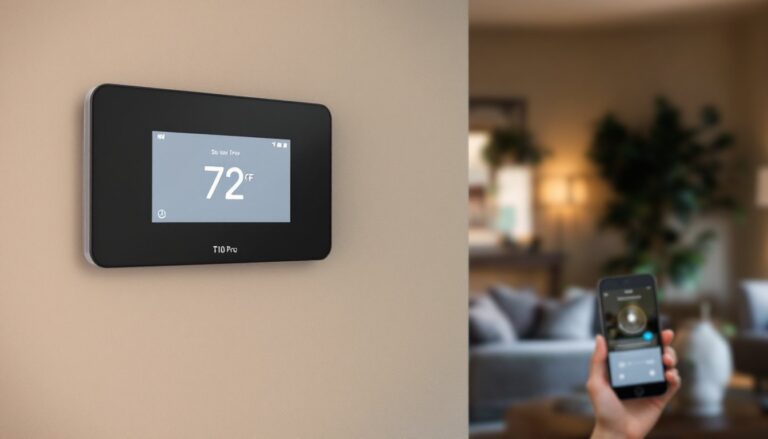
Your thermostat should talk to the rest of your smart home. Google Home, Amazon Alexa, and Apple Home compatibility are standard on most mid-range and premium models, but double-check before buying. The ability to set temperatures by voice (“Alexa, set the thermostat to 72”) is convenient, and geofencing, automatically lowering temperature when you leave, is a legitimate time-saver.
The app itself matters more than you’d think. Can you adjust temperature remotely? Check schedules? Access energy history? Read alerts if something goes wrong? Test the app interface on the manufacturer’s website or YouTube before committing. A clunky app defeats the purpose of having a smart device. Look also for integrations with energy-monitoring platforms if you track household consumption: comprehensive buying guides highlight which models excel at cross-platform compatibility.
How To Install And Set Up Your Smart Thermostat
Most homeowners can install a smart thermostat themselves, but wiring complexity varies. Before you start, turn off power at your breaker. Take a photo of your old thermostat’s wiring, label the wires R (power), W (heat), Y (cooling), G (fan), and C (common) if present. Many older thermostats lack a C wire: some smart models require one. If yours is missing, you’ll need an adapter or a short run of low-voltage wire from your HVAC equipment.
Remove the old thermostat carefully and unscrew the base plate. Most new smart thermostats include a mounting plate and wall anchors. Use a spirit level, an unlevel thermostat can misread temperature. Connect wires to the new unit’s terminal block (color-coded labels guide you), snap the thermostat onto the plate, and restore power. Install the app, connect to Wi-Fi, and follow the setup wizard.
If you’re unsure about wiring or your system is uncommon (heat pump, radiant heating, or multi-zone), hire an HVAC technician. The install fee (typically $75–200) is cheap insurance against a $300 device not working. Check your thermostat’s compatibility tool first: manufacturers provide a quick check using your existing model number or photos.
Once installed, spend a few days observing behavior before programming elaborate schedules. Let the learning algorithm gather data if your unit has one. After a week, customize schedules in the app to align with your routines. Detailed product comparisons often include installation guidance tailored to each model.
Smart Thermostat Costs: What To Budget In 2026
Pricing has fragmented considerably. Budget models (basic Wi-Fi thermostats, some Wyze units) run $60–120. Mid-range options (Honeywell Home, Emerson, Ecobee Entry) land in the $150–250 range. Premium units (Nest Learning Thermostat, Ecobee SmartThermostat with Voice Control) sit at $250–400 or more.
Why the range? Premium models include advanced learning, bundled room sensors, voice assistants, or robust energy analytics. They’re not inherently superior, an entry-level unit delivers 80% of the functionality for half the price. The jump in cost reflects aesthetics, brand reputation, and convenience features rather than core performance.
Don’t forget installation. If you’re handy, you’ll pay only for the device itself. A professional install adds $75–250 depending on complexity. Add in potential adapter hardware ($20–50) if you need a C wire adapter. Many utility companies and government programs offer rebates of $50–300, and some states pair this with tax credits, so check local incentives before buying.
Break-even analysis: A $200 thermostat saving you $10–15 per month in energy costs will pay for itself in 13–20 months. After that, it’s pure savings, especially useful if you plan to stay in the home long-term. For renters or those moving soon, a budget model makes more sense: the lower upfront cost doesn’t sting as much if you don’t stay to realize full savings.